Exploring QuickBooks Online Projects: Top 10 Questions Answered for Construction Business Owners

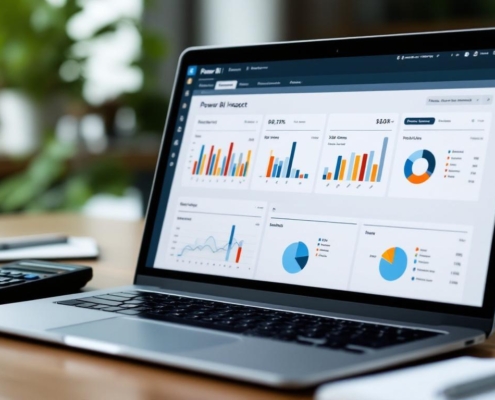
November blog cover for Devine Consulting LLC, featuring accounting and financial services.

Construction business owners need efficient tools to manage their finances and projects effectively. The Projects feature in QuickBooks Online (QBO) is one such tool that can significantly enhance project management. Here, we answer the top 10 most common questions construction business leaders ask about this feature, with a special focus on job costing.

1. Why Should I Use Projects in QBO?

Benefit from Detailed Insights: Projects in QBO let you track income, expenses, and profitability for each job separately. This is particularly beneficial for construction businesses with multiple ongoing projects, as it provides detailed insights into each job’s financial health. By using this feature, you can make more informed decisions, optimize your resources, and identify which jobs are most profitable.

2. Should I Create a Project or a Customer?

Organize Multiple Jobs Efficiently: If you have multiple jobs for the same customer, creating a project for each job is the way to go. This approach allows you to track each job’s financials separately, maintaining organized records while still linking all projects to the main customer account. This helps prevent confusion and makes it easier to manage billing and reporting.

3. Seeing Information Based on Payroll vs. Hourly Cost – Which One Should I Use?

Choose Based on Your Focus Area: Deciding between payroll and hourly costs depends on your focus. If you want to track actual wages and ensure payroll compliance, use payroll data. If you’re more interested in understanding the total cost of labor, including overhead and all associated costs, focus on hourly costs. This helps in setting the right pricing strategies and analyzing overall project profitability.

4. What Should Be Included in Employee Hourly Costs?

Accurate Cost Assessment: Wages, taxes, and overhead expenses should all be included in employee hourly costs. This is crucial for setting competitive prices and ensuring each project is profitable. By accurately calculating these costs, you can make data-driven pricing decisions and improve project estimations.

5. What Are the Different Transaction Types?

Capture Comprehensive Financial Data: In QBO Projects, you can enter various transaction types, such as invoices, expenses, time activities, and estimates. Each type of transaction captures different financial data, contributing to a holistic view of job costing. This comprehensive tracking ensures that you have a clear picture of where your project stands financially at any given time.

Unlock the full potential of your construction projects with our tailored accounting solutions!

Learn More

6. How Can I See What Hasn’t Been Billed for My Project?

Minimize Unbilled Expenses: QuickBooks Online provides tools to view unbilled time and expenses directly from the Project Overview or by using specific reports. This feature ensures that you are aware of any outstanding billable items, helping to minimize delayed billing and improve cash flow management. Ensuring all work and materials are billed promptly is crucial for maintaining project profitability and accurate job costing.

7. How Do I Create Invoices Based on Project Estimates?

Streamline Billing Processes: Creating invoices from project estimates is a straightforward process in QBO. Once you’ve made an estimate, you can convert it into an invoice with just a few clicks. This streamlined process ensures accuracy in billing and helps you get paid on time, enhancing cash flow and customer satisfaction.

8. Is There an Estimate vs. Actual Report?

Monitor Budget Adherence: QuickBooks provides an estimate vs. an actual report, which is essential for budget monitoring. This report allows you to compare projected job costs against actual expenses, giving you insights into how well you’re adhering to your budget. By analyzing these reports, you can identify areas where costs may be exceeding estimates and adjust accordingly.

9. Why Should You Convert Sub-Customers to Projects?

Simplify Tracking and Reporting: Converting sub-customers to projects simplifies your workflow by consolidating transactions and reports under one project. This change enhances efficiency and makes it easier to track progress and financials, ultimately helping you manage resources better and improve project outcomes.

10. Are There Job Costing Reports?

Understand Detailed Cost Breakdown: QBO offers job costing reports that provide a detailed breakdown of labor, materials, and other expenses for each project. These reports are vital for understanding where your money is going and identifying opportunities for cost savings. By regularly reviewing job costing reports, you can make strategic decisions to enhance project profitability and operational efficiency.

FRANK’s Advice

Using the Projects feature in QuickBooks Online can significantly improve how construction business leaders track their job costs. By understanding and leveraging these functionalities, you ensure projects are completed on time, within budget, and with maximum profitability. Schedule a free consultation with Devine Consulting today! Our experts specialize in project and construction accounting and can provide personalized insights to help your business thrive.

Devine Consulting LLC
Privacy Overview

This website uses cookies so that we can provide you with the best user experience possible. Cookie information is stored in your browser and performs functions such as recognising you when you return to our website and helping our team to understand which sections of the website you find most interesting and useful.